
Online Banking Security: Avoid Scams Before You Click
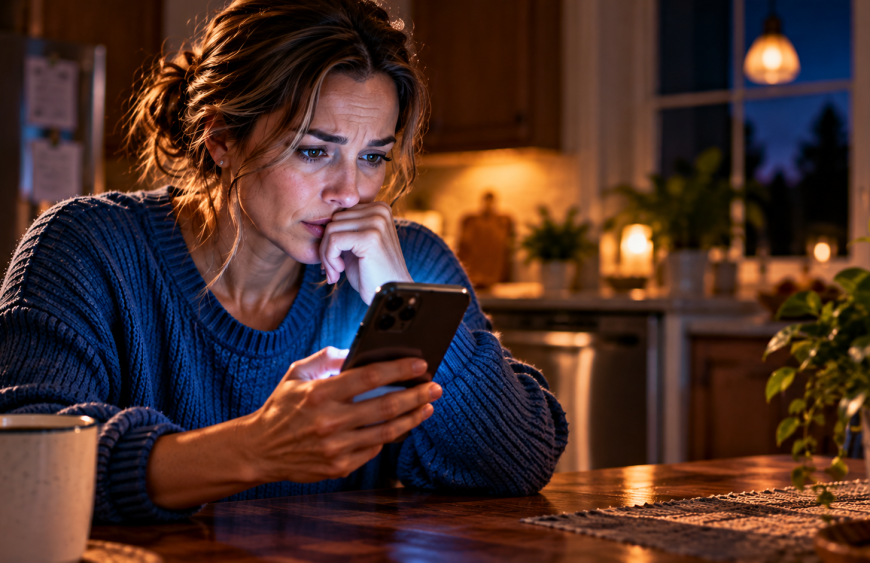
The Message That Could Empty Your Bank Account: Are You One Click Away?
An ordinary evening. An unexpected banking alert. One decision that could change everything.
Editor’s note: The opening story is a fictional illustration of a common banking scam. The security recommendations that follow are based on consumer protection guidance.
It Only Takes One Click
It was supposed to be an ordinary evening.
The kind where the day’s responsibilities are finally behind you, dinner is finished, and the only thing left on your schedule is a little peace and quiet.
For Sarah, that peace lasted until her phone buzzed.
A notification appeared on the screen.
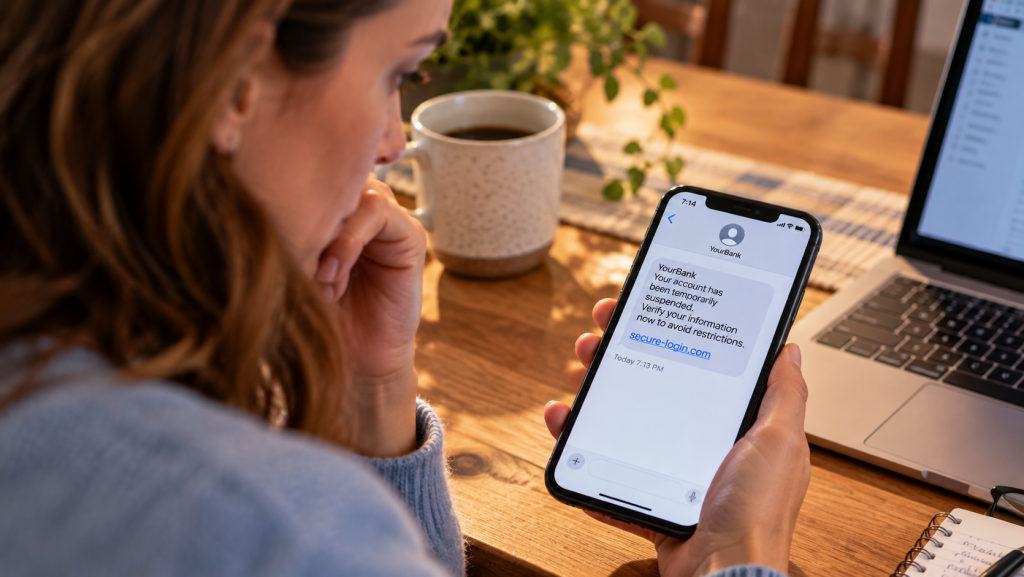
Suspicious activity detected. Your bank account has been temporarily restricted. Verify your identity immediately.
The message looked official.
There was a familiar bank name, a reassuring security symbol, and a link promising to resolve the problem in just a few moments.
Sarah felt that uncomfortable little rush of anxiety.
Had someone accessed her account? Was her money still there? Could she lose access to everything if she didn’t respond?
Those were exactly the questions the sender wanted her to ask.
Because the message wasn’t really about protecting Sarah’s bank account.
It was about getting Sarah to hand over the keys.
And that’s what makes today’s online banking scams so dangerous.
They don’t always arrive looking like obvious scams. They can look like helpful customer-service messages, routine security notifications, or urgent warnings from institutions you’ve trusted for years.
Sometimes the criminals already know your name. Sometimes their messages appear in the same conversation thread as legitimate bank alerts.
And with modern technology, even a familiar-looking phone number, professional website, or convincing voice isn’t enough to establish trust.
The real danger isn’t simply that scammers are becoming more sophisticated.
It’s that they’re getting better at convincing ordinary people to make decisions before they’ve had time to think.
But there’s good news.
You don’t have to be a technology expert to recognize many of the warning signs.
You just need to understand what scammers are trying to accomplish, how they create urgency, and why verifying information independently is so important.
That’s what this story is about.
We’ll follow Sarah’s experience, uncover the tricks behind convincing banking messages, and explore practical ways to protect your financial information.
We’ll also look at what to do if you’ve already clicked a suspicious link or shared information you wish you hadn’t.
Because protecting yourself online isn’t about living in fear of every notification.
It’s about developing the confidence to recognize when something isn’t right.
And Sarah’s story begins with one message that demanded an immediate decision.
A quick note from FriscoStore.com: This article may contain affiliate links. If you make a qualifying purchase or sign up through one of these links, we may earn a commission at no additional cost to you. Your support helps us continue producing original stories, videos, and helpful content. Thank you for supporting Connect the Dots! ❤️
1. It Started With a Message

It was 8:47 on a Tuesday evening.
Sarah Mitchell had finally settled into her kitchen with a cup of coffee, her laptop open, and a few bills she had been putting off since Sunday.
Outside, the neighborhood was quiet. Inside, the dishwasher hummed, and the soft glow of her laptop illuminated a half-finished grocery list.
Then her phone vibrated.
“Suspicious activity detected on your bank account. Your account has been temporarily restricted. Verify your identity immediately.”
Sarah frowned.
She hadn’t purchased anything unusual. Had someone stolen her debit card number? Was her savings account in danger?
The message carried the familiar name of her bank. It looked official. It sounded urgent.
And right beneath the warning was a link.
VERIFY YOUR ACCOUNT NOW.
Her finger moved toward the screen.
Then she stopped.
Something about the message bothered her.
Why would her bank need her to verify her identity through a random text message? And why did it sound as if everything would fall apart unless she acted immediately?
Sarah opened her bank’s official mobile app instead.
No warning. No account restriction. No suspicious transaction.
Her money was exactly where it belonged.
She contacted the bank through its verified customer service number.
The message hadn’t come from them.
Sarah had just encountered something millions of people face: a scam designed to turn a moment of fear into an expensive mistake.
And the most frightening part?
Nothing about the message had looked particularly frightening.
2. The Real Trick Isn't Technology. It's Psychology.
Imagine someone knocking on your front door wearing a uniform, holding a clipboard, and announcing there’s an emergency.
You might open the door before asking who sent them.
Online scammers count on that same instinct.
Their strategy is called social engineering — manipulating people into revealing sensitive information, transferring money, or granting access to accounts.
The technology helps deliver the message. Human emotion helps make it work.
Fear tells you something terrible is happening.
Urgency tells you there isn’t time to think.
Trust tells you the person contacting you must be legitimate.
And curiosity makes you wonder what could happen if you ignore the warning.
That combination can be powerful, especially when the message appears to come from a financial institution you already use.
The scam may arrive through a text message, email, phone call, social media message, or counterfeit website.
Some criminals even manipulate caller ID information to make a call appear to originate from a familiar company.
And increasingly, a polished appearance or mistake-free grammar is no guarantee of legitimacy.
The warning sign isn’t always a badly written message. Sometimes it’s a perfectly written message asking you to do the wrong thing.
3. Five Warning Signs You Should Never Ignore
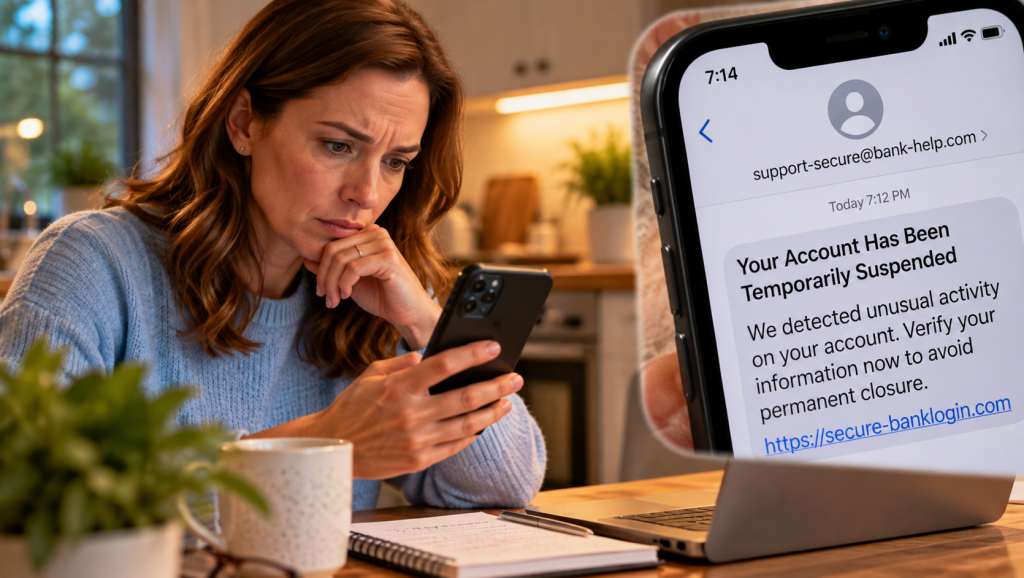
A. The message creates an emergency.
“Your account will be suspended in 10 minutes.”
“Unauthorized withdrawal pending.”
“Immediate verification required.”
Real financial institutions may legitimately contact customers about suspicious activity. But an unexpected message demanding immediate action through a supplied link deserves independent verification.
B. Someone asks for your verification code.
A one-time code can serve as a key to your account.
If someone calls claiming to work for your bank and asks you to read a verification code aloud, stop.
Never share passwords, PINs, or one-time authentication codes with an unexpected caller or message sender.
C. You’re told to move your money somewhere safe.
A person claiming to be from your bank might say your account has been compromised and instruct you to transfer your funds into a supposedly protected account.
That is a major scam warning.
Moving your money because an unsolicited caller tells you to can place it directly into criminal hands.
D. The link looks almost right.
Scammers can create websites that resemble legitimate online banking portals.
The bank’s colors, logo, and login screen may appear convincing.
But the web address could contain a small variation, an extra word, or an unfamiliar domain.
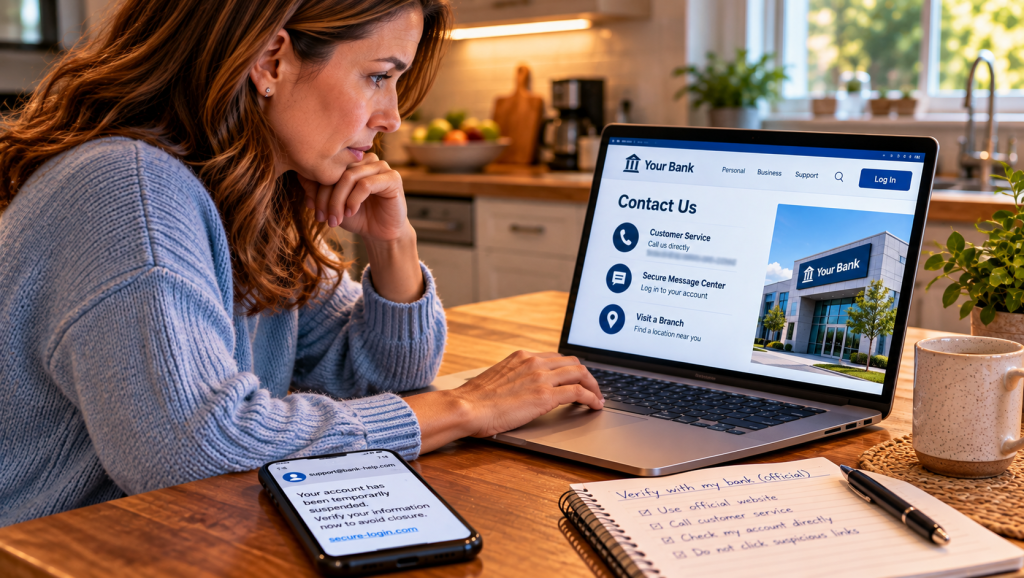
Rather than trying to decide whether an unexpected link is safe, open the official banking app or manually navigate to your bank’s website.
E. You’re discouraged from asking questions.
“Don’t contact the branch.”
“This investigation is confidential.”
“Stay on the line while we protect your funds.”
A legitimate request should withstand independent verification.
If someone pressures you not to contact your bank through a trusted channel, treat that pressure as a warning.
Remember: The faster someone insists you act, the more important it becomes to verify.
4. Your Money Deserves More Than a Password
A strong password is important, but account protection shouldn’t end there.
Think of your front door.
You wouldn’t necessarily rely on one inexpensive lock if you had additional ways to protect your home.
Your financial accounts deserve layers of security, too.
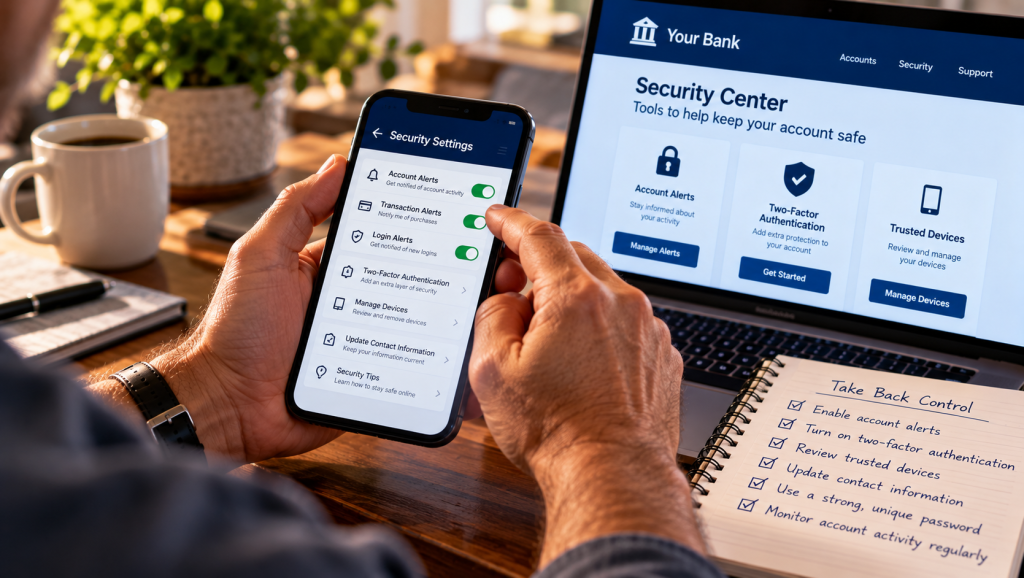
Turn on multifactor authentication.
Multifactor authentication, often called MFA or two-step verification, adds another security requirement beyond your password.
Where available, consider stronger options such as passkeys or an authenticator app. Not every bank supports the same methods, so review its security settings.
No authentication method eliminates every type of fraud, especially if someone tricks you into authorizing a transaction yourself.
Make every important password unique.
Reusing the same password for your email, shopping, and banking accounts creates unnecessary risk.
A reputable password manager can help generate and store strong, unique passwords.
And don’t forget your email account. If someone gains control of it, they may be able to reset passwords for other services.
Enable account notifications.
Check whether your bank offers alerts for transactions, transfers, new payees, password changes, or unusual account activity.
Alerts won’t necessarily stop fraud, but they may help you discover suspicious activity sooner.
Keep your devices updated.
Install operating system, browser, and banking app updates from official sources.
Avoid installing unfamiliar software because a caller or message instructs you to do so.
Review your accounts regularly.
Don’t assume that a quiet phone means everything is fine.
Review recent transactions and verify that account contact information, linked devices, and security settings remain correct.
A few minutes spent checking today could prevent days of confusion tomorrow.
5. What If You Already Clicked?
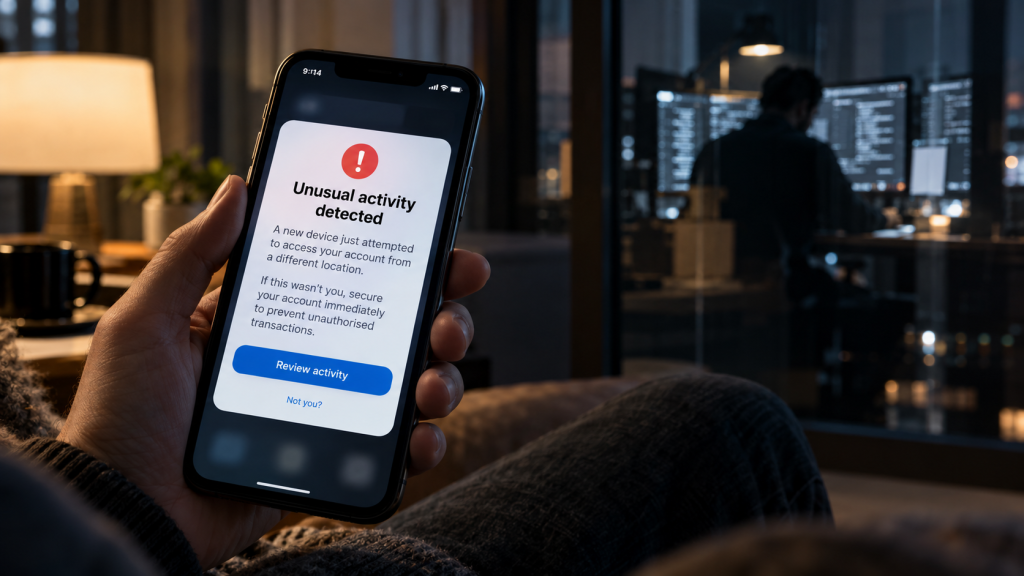
First, understand this: clicking a suspicious link doesn’t automatically mean your money has been stolen.
The next step depends on what happened.
If you clicked but entered nothing
Close the page. Don’t download anything or grant permissions. If a file downloaded or something was installed, use trusted security software to scan your device.
If you entered your banking password
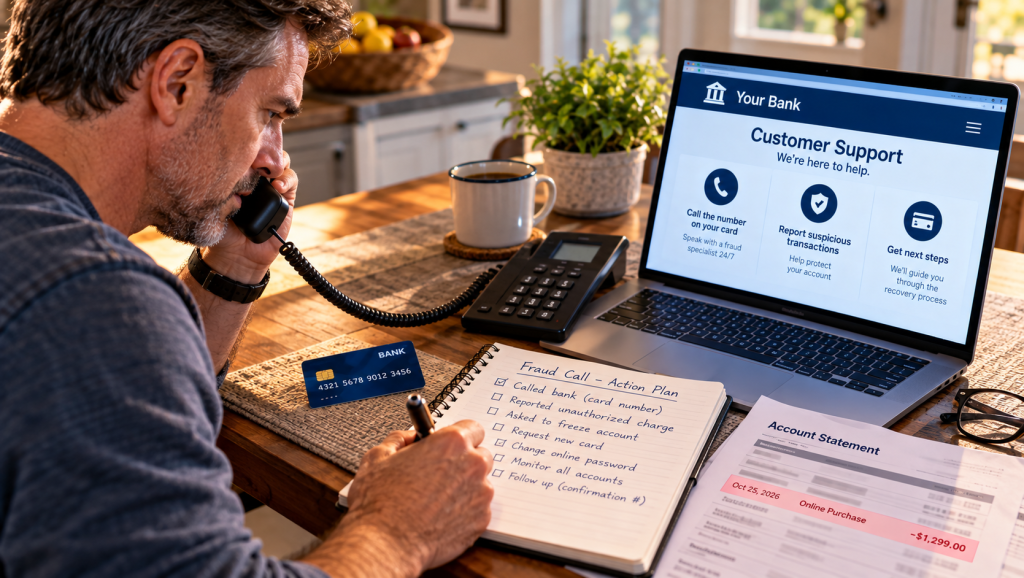
Contact your bank immediately through an official channel.
Change the compromised password using the bank’s legitimate app or website on a trusted device. Change it anywhere else you’ve reused it.
Review your account for unfamiliar transactions or changes.
If you shared a verification code
Tell your bank exactly what happened, even if you haven’t noticed unauthorized activity.
Ask it to review account access, active sessions, and recent transfers.
If money has disappeared
Contact your bank or credit union immediately. Report each unauthorized transaction and ask about reversing or recovering the funds.
Time matters. Consumer protections for unauthorized electronic transfers can depend on the transaction and how quickly you report it.
Transactions you personally authorized because of a scam may involve different protections, so explain exactly what happened.
If your identity information was exposed
Visit IdentityTheft.gov for an individualized recovery plan. Depending on what was exposed, you may need to place a fraud alert or credit freeze.
You can also report suspected scams to the Federal Trade Commission at ReportFraud.ftc.gov or internet-related crimes to the FBI at IC3.gov.
The goal is not to panic. It’s to act quickly, carefully, and through trusted channels.
6. The Five-Minute Banking Security Checkup
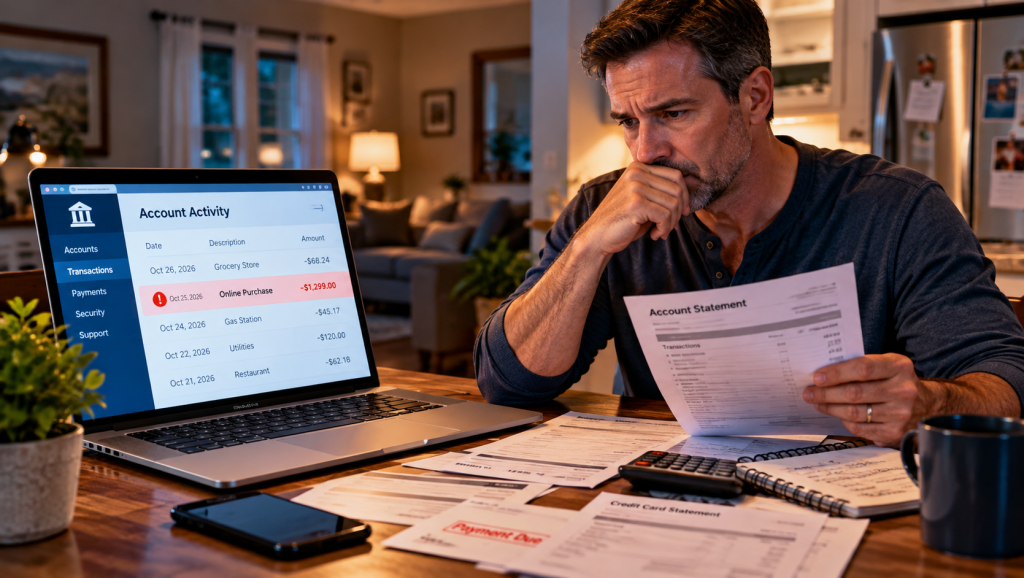
Here’s something useful you can do before finishing your next cup of coffee.
Open your banking app and review recent transactions.
Confirm your account notifications are enabled.
Check that multifactor authentication is active.
Make sure your banking password is unique.
Review the email address and phone number associated with your account.
Save your bank’s official fraud contact number.
Make sure your phone and banking app are updated.
Remind someone you care about never to share banking verification codes.
You don’t need to become a cybersecurity professional.
You just need a few habits that make it harder for criminals to catch you off guard.
And perhaps the most valuable habit of all?
When an unexpected message creates urgency, verify independently before responding.
7. The Decision That Changed Everything
Let’s return to Sarah.
The phone was still sitting beside her coffee.
The suspicious message hadn’t disappeared. Its warning was just as alarming as it had been several minutes earlier.
But something had changed.
Sarah knew the message was fraudulent because she had gone directly to her bank instead of following the stranger’s instructions.
She deleted the message after reporting it.
Then she did something that might protect someone else.
She called her father.
“Hey, Dad. Quick question. If you ever get a text saying your bank account is locked, what would you do?”
He laughed.
“Probably call the bank.”
“Good,” she said. “Just make sure you call the real number.”
Sometimes protecting yourself means being careful.
Sometimes it means sharing what you’ve learned.
And sometimes the most important decision you make all day is the one you don’t make.
The link you don’t click.
The code you don’t share.
The transfer you don’t authorize.
Because online banking security isn’t just about protecting numbers on a screen.
It’s about protecting your rent, your savings, your business, your retirement, and the people depending on you.
A Final Thought From Connect the Dots
Your bank account deserves your attention. Your peace of mind deserves your protection.
The next time an unexpected message tells you to act immediately, remember three simple words:
Pause. Verify. Protect.
And if this story helped you recognize something you might otherwise have missed, share it with someone who matters to you.
One conversation might save someone from a very expensive mistake.
Connect the Dots — stories worth reading, lessons worth remembering.
Join the Connect the Dots Story Club and discover what we’re publishing next.
9. Getting Started Doesn't Have to Be Complicated
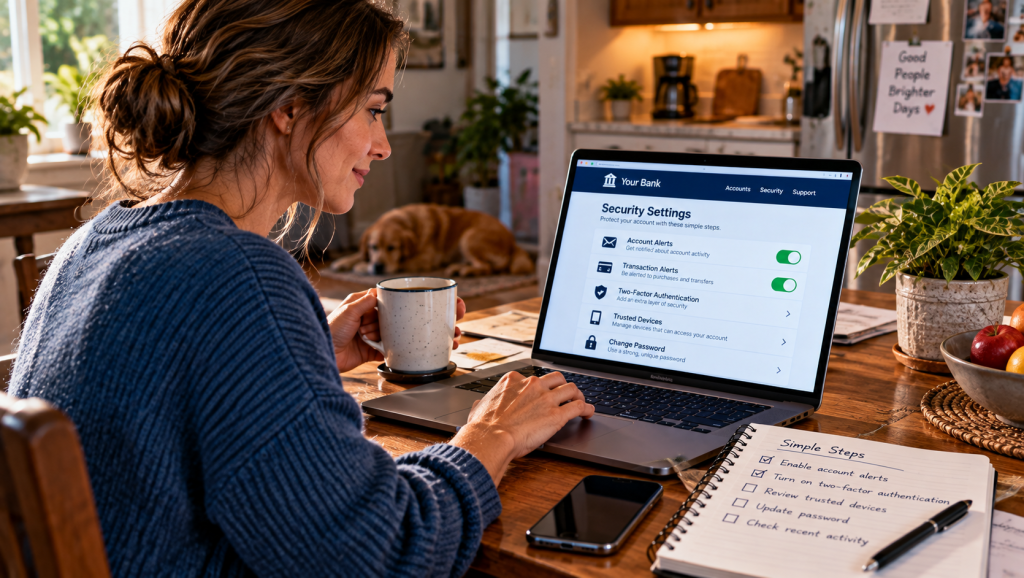
If everything we’ve discussed sounds a little overwhelming, don’t worry. Protecting your bank account doesn’t require you to become a cybersecurity expert overnight.
Start with the basics.
Open your bank’s official mobile app or type its website address directly into your browser.
Review your recent transactions.
Look for charges, transfers, or withdrawals you don’t recognize.
Turn on account notifications, especially for transactions, password changes, and unusual login attempts.
Make sure your banking password is unique. If you use the same password across several websites, changing that habit is an excellent place to begin.
Enable multifactor authentication or passkeys wherever your financial institution supports them.
Never share a one-time verification code with someone who contacts you unexpectedly.
And remember that a text message claiming to be from your bank isn’t proof that your bank sent it.
If something feels suspicious, contact your financial institution through a trusted number or its official app.
What if you’ve already clicked?
Don’t ignore it.
If you entered a password, change it using a trusted device. If you shared financial information or notice suspicious activity, contact your bank immediately.
If personal information may have been stolen, IdentityTheft.gov can help you plan your recovery.
That’s it.
No complicated system. No expensive equipment. No need to spend every waking moment worrying about cybercriminals.
Just a few thoughtful habits that can make a meaningful difference.
Because the best time to prepare for a banking scam is before the next suspicious message arrives.
10. The Real Reward Isn't Just Protecting Your Money

Remember Sarah’s ordinary evening?
One unexpected message threatened to turn a peaceful night into a financial nightmare.
Now imagine how differently that evening could have ended.
Sarah sees the warning.
She feels that familiar moment of concern.
But instead of tapping the link, she remembers what she’s learned.
She pauses before responding.
She opens her bank’s official app.
She checks her recent account activity.
She contacts her bank directly if anything seems unusual.
She refuses to let a stranger’s urgent message make the decision for her.
And when she’s finished verifying the situation, she puts down her phone.
Maybe she makes another cup of tea.
Maybe she calls a friend.
Or maybe she simply gets back to enjoying an ordinary evening.
That’s the part of online security we don’t talk about enough.
The real reward isn’t just protecting your money. It’s protecting your peace of mind.
Will these simple precautions eliminate every possible threat?
Of course not.
Even careful people can become targets, and sophisticated scams can fool people who know what to look for.
But knowledge gives you more options.
Awareness gives you a reason to question suspicious messages.
And good security habits can help you respond more effectively when something unexpected happens.
Because your bank account represents more than numbers on a screen.
It represents hours worked, bills paid, plans made, and dreams you’re still building.
Something meaningful.
Something worth protecting.
And sometimes, protecting all of that begins with one surprisingly simple decision.
Don’t click until you’ve verified.
Your Financial Security Deserves a Second Look

A suspicious message can appear when you least expect it.
Take a few minutes today to review your banking security settings, enable account alerts, and make sure you know how to contact your financial institution directly.
And if you know someone who might benefit from Sarah’s story, share it.
A little awareness today could prevent a costly mistake tomorrow.
Free educational resource provided by the Federal Trade Commission (FTC). Opens the official FTC website. No purchase required.
🎙️The Banking Scam That Almost Worked
Before you go, pull up a chair!
Join Tess & Jill as they take Sarah’s story a little further—exploring the tricks behind convincing banking scams, the warning signs people often overlook, and what to do when something doesn’t feel right.
Because sometimes, protecting your money starts with a good conversation.
Hit play and join the discussion! 🎧

Tess & Jill Podcast – The Big Discussion on The Banking Scam That Almost Worked
Coming Next From Connect the Dots 😄
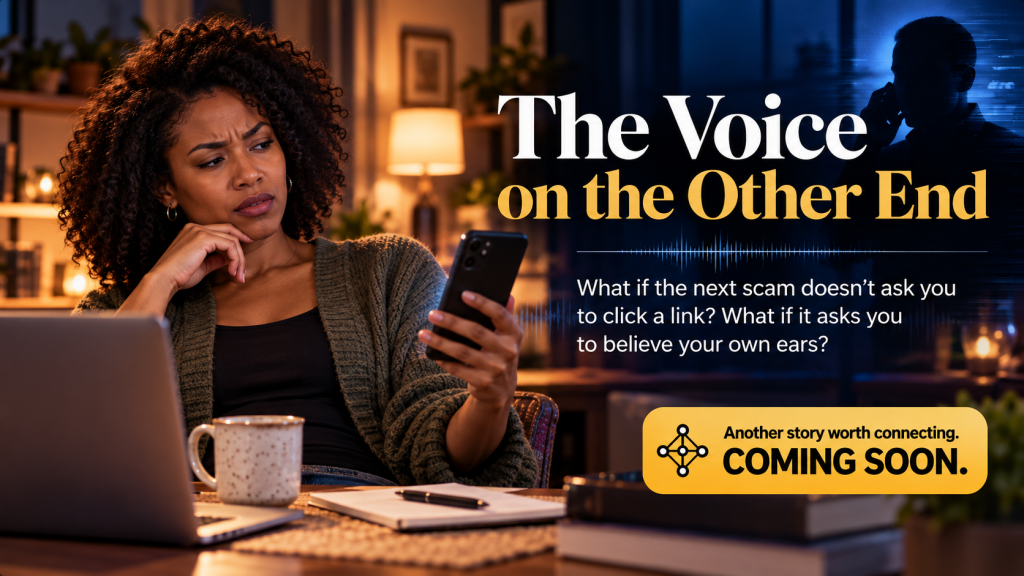
You recognize the voice.
It sounds familiar. Concerned. Maybe even frightened.
Someone you trust is calling, and they need your help immediately.
But what if the person speaking isn’t who you think it is?
In our next Connect the Dots Digital Safety story, we’ll explore how scammers use artificial intelligence to imitate familiar voices, manufacture emergencies, and pressure people into sending money.
Because the next scam might not ask you to click a link. It might ask you to believe your own ears.
Coming next on Connect the Dots.
A Little Reminder from Connect the Dots ❤️
Not every voice is who it claims to be. When someone calls asking for money or personal information, pause, verify, and call them back using a number you already trust.
Stay curious. Stay alert. And keep connecting the dots.